Skip to content
Lorjova
HomeWeave app icon: a house outline over a floor-plan grid
Status: In DevelopmentProductivity

HomeWeave

Draw your floor plan, see it in 3D, and plan the cost of building your home.

Version 0.1.0 being prepared for Google Play

Overview

Plan the home you want to build, from the first sketch to moving in. HomeWeave is a home design studio on your phone: draw your floor plan room by room, see it in 3D, work out what it will cost, and follow every stage of the build.

Everything stays on your phone and works offline, with no account needed. Version 0.1.0 is being prepared for its first release on Google Play.

Features

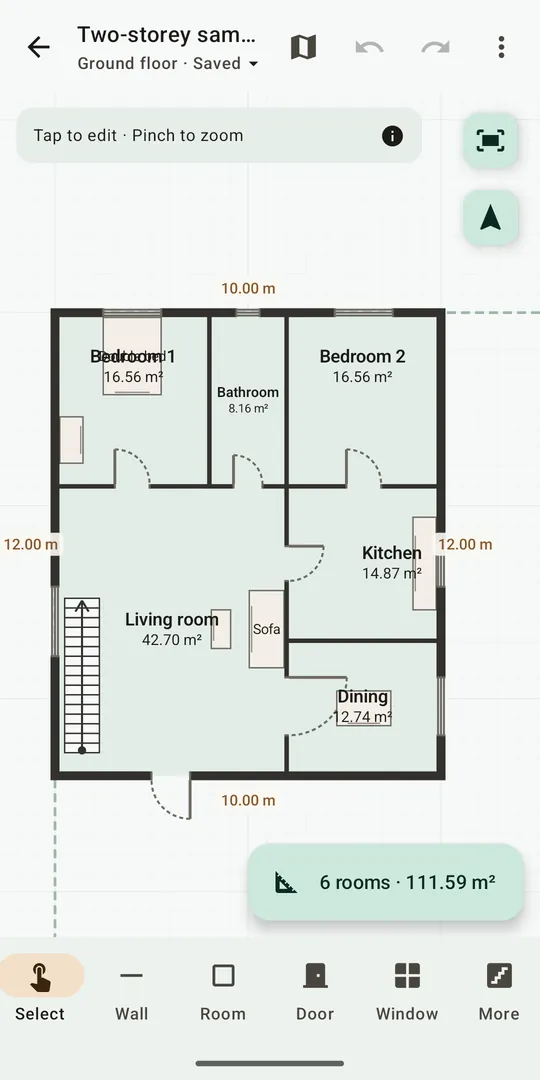
  • Draw walls, rooms, doors and windows with your finger, with snapping to wall ends and a neat grid
  • Room areas update as you draw; type exact lengths, thicknesses and heights in metres or feet and inches
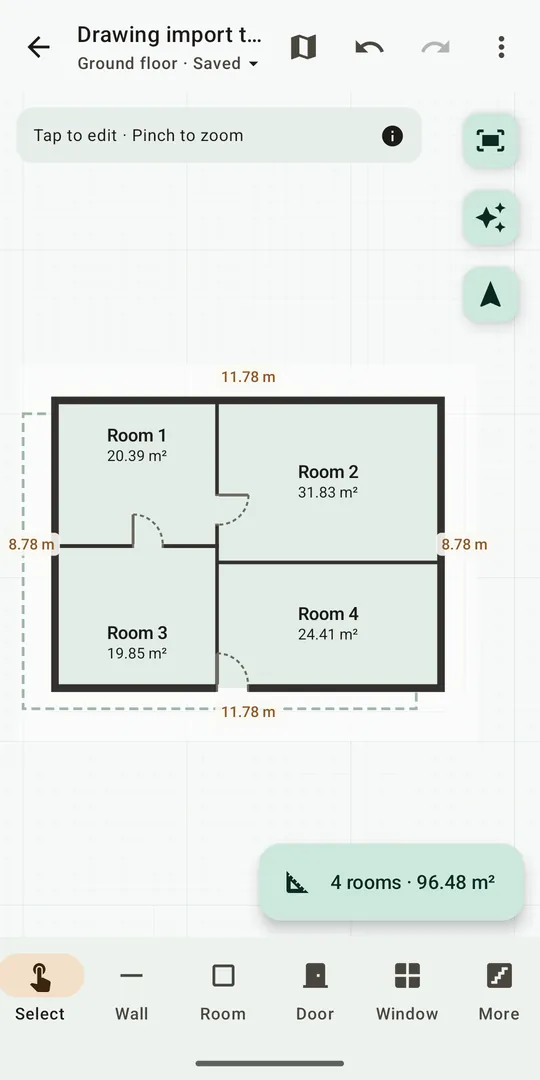
  • Start from a drawing: trace a photo of a paper plan, set the scale from one known dimension, and HomeWeave finds the straight walls and doorways
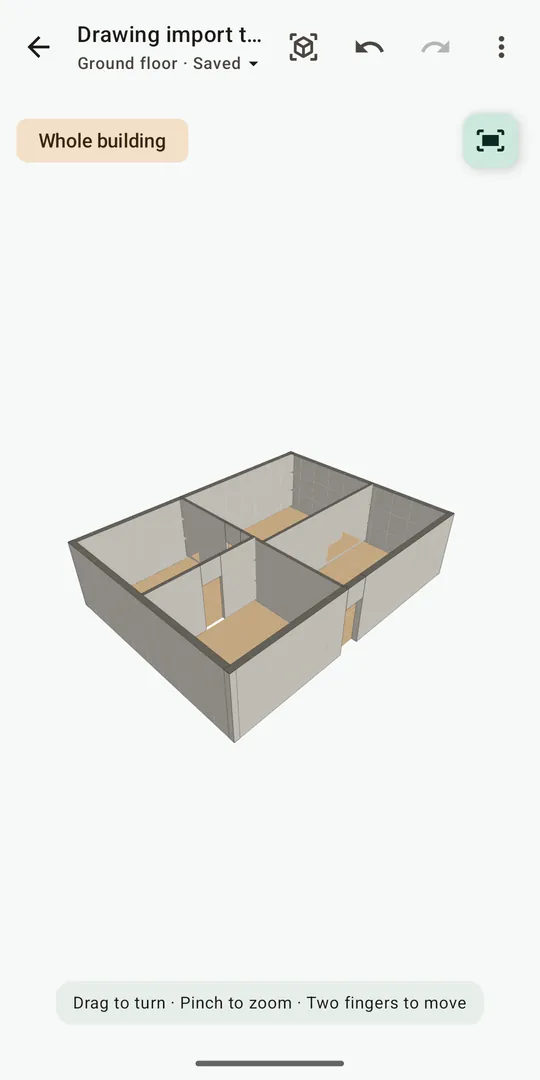
  • Turn the whole building in 3D, view elevations and sections, and add a flat, single-slope, gable or hip roof
  • Cost estimates from your own prices, with quantities measured from your plan
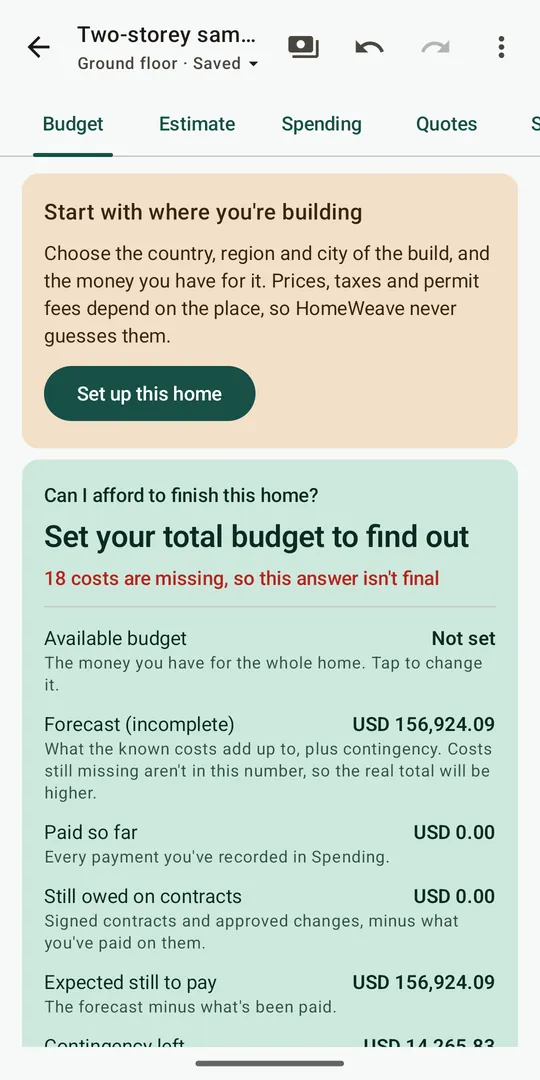
  • Budget dashboard: what is still missing, what you have paid and what is still owed
  • Compare builders' quotes, record payments, keep a shopping list in whole packs, and compare two layouts side by side
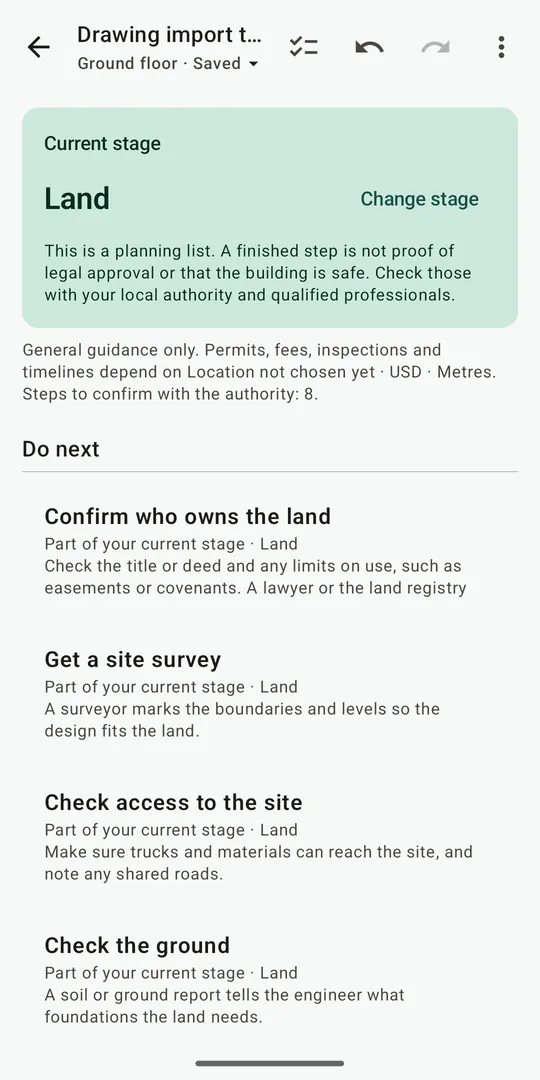
  • “What's next?”: a step-by-step building guide from choosing land to handover, linked to your budget
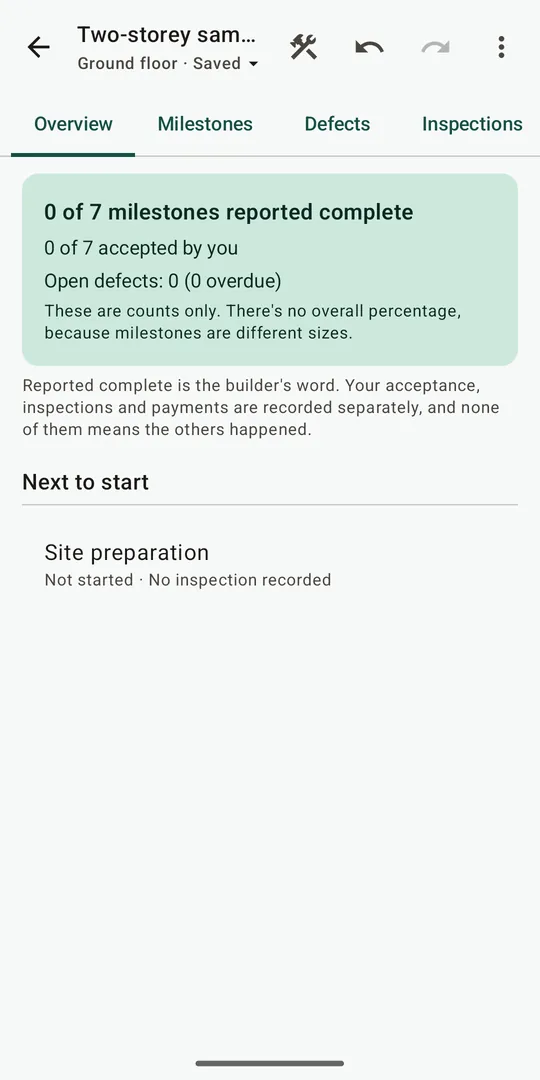
  • Track construction milestones, inspections and defects, and see what to check before paying for each stage
  • Save drawings as PDF, export the cost schedule as CSV, and share a home file with family or your builder
  • Works offline: no account, plans stay on your device

Screenshots of version 0.1.0. Sample data shown.

  • HomeWeave floor plan editor with rooms and their areas
    Floor plan
  • HomeWeave 3D view of a whole building
    3D view
  • HomeWeave budget dashboard for the build
    Budget
  • HomeWeave What's next? step-by-step building guide
    What's next?
  • HomeWeave construction overview with milestones
    Construction
  • HomeWeave importing walls from a plan drawing
    Start from a drawing

More from Lorjova

ZorahMind logoStatus: Available

ZorahMind

An AI-powered operations platform that helps hospital and clinic teams move cases from intake to discharge-ready documentation, with live visibility and guided workflows.

HealthcareAIBusinessWeb
View details

Status: In Development

AniHealthTracker

A wellness application that helps people log daily habits, understand their patterns and receive lifestyle-focused suggestions powered by AI.

HealthcareAIMobile (in development)
View details
PriceRecall app iconStatus: Beta

PriceRecall

Your offline price book for everyday purchases. Record what you paid, then look up your own history the next time you shop.

ProductivityE-commerceAndroid
View details

Get in touch

Let's Build What's Next.

Have a project, partnership opportunity, or technology idea? Connect with Lorjova.